When it comes to building a website, one name stands out above all others — WordPress. Whether you’re creating a personal blog, an online store, or a corporate site, WordPress provides all the tools you need to succeed. But what makes it the top choice for millions of users worldwide? Let’s explore the key reasons why WordPress should be your go-to platform.
Open Source and Free Platform
Accessibility for Everyone
One of the biggest advantages of WordPress is that it’s completely free and open-source. This means you don’t have to pay to use it, and you can customize it however you like. Whether you’re a small business owner or a large enterprise, WordPress gives you the freedom to build your website your way.
Community-Driven Development
Being open-source also means it’s constantly improving. Thousands of developers around the globe contribute to making WordPress better every day. That’s why new features, themes, and plugins are regularly added — keeping your website modern and efficient.
Easy to Use for Beginners
Simple Installation and Setup
Even if you’re not tech-savvy, WordPress makes it easy to get started. Many hosting providers offer one-click installation, so your website can be live within minutes.
Intuitive Dashboard
The WordPress dashboard is simple and user-friendly. From adding blog posts to managing plugins, everything is organized logically — making website management stress-free.
Customization Flexibility
Themes for Every Industry
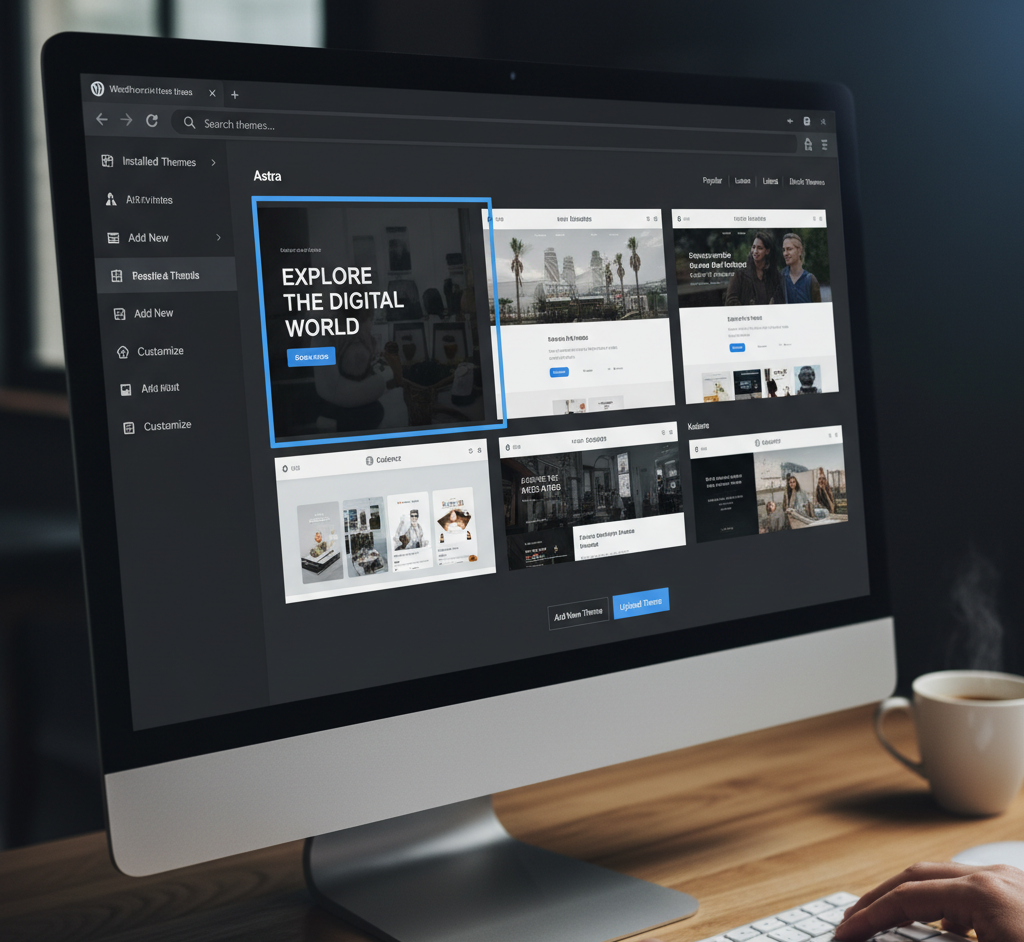
WordPress offers thousands of free and premium themes, letting you design your website exactly how you envision it. Whether you’re in real estate, fashion, or tech, there’s a perfect theme waiting for you.
Plugins to Add Unlimited Features
Want to add a contact form, social share buttons, or live chat? There’s a plugin for that! With over 60,000 plugins, you can enhance your website’s functionality in just a few clicks.
SEO-Friendly by Design
Built-in SEO Tools
WordPress is inherently optimized for SEO. It uses clean code, proper HTML structure, and allows you to customize permalinks — making it easier for search engines to understand your content.
Integration with SEO Plugins
Plugins like Yoast SEO and Rank Math help you optimize every page, meta description, and keyword. They guide you in writing SEO-friendly content that ranks higher on Google.
Mobile-Responsive Design
Why Mobile Optimization Matters
In today’s mobile-first world, your website must look good on every device. WordPress ensures that your design automatically adjusts to any screen size.
Responsive Themes and Plugins
Most modern WordPress themes are mobile-responsive, ensuring your visitors have a smooth experience whether they’re browsing on phones, tablets, or desktops.
Strong Community Support
Forums, Tutorials, and Help Desks
Got a question? The WordPress community has your back. From official forums to YouTube tutorials, you’ll find answers to every problem.
Contributions from Global Developers
Thousands of experts contribute to improving WordPress daily, ensuring that the platform stays reliable, secure, and up to date.
Security and Regular Updates
Frequent Updates for Protection
WordPress is known for its regular security updates, protecting your website from vulnerabilities and hackers.
Security Plugins for Extra Safety
You can further secure your website using plugins like Wordfence or Sucuri, which add extra layers of protection against threats.
Scalability and Growth Potential
Perfect for Small Blogs and Large Enterprises
WordPress grows with you. Whether you’re starting a blog or running a high-traffic eCommerce store, WordPress can handle it all.
Managing Traffic and Content Growth
With the right hosting and caching setup, your website can manage thousands of daily visitors effortlessly.
Cost-Effective Development
Save on Web Design and Maintenance
Unlike custom-coded sites, WordPress reduces development costs significantly. You can design your site with free themes and update it yourself — no coding required.
Affordable Hosting Options
You’ll find many hosting plans tailored for WordPress that fit every budget, making it a cost-efficient option for individuals and businesses alike.
E-commerce Capabilities
WooCommerce Integration
Want to sell online? WordPress integrates perfectly with WooCommerce, the most popular eCommerce plugin worldwide. It lets you manage products, payments, and inventory seamlessly.
Managing Online Stores Easily
From digital downloads to physical products, WordPress helps you create a professional, user-friendly store that drives sales.
Multilingual and Global Reach
Translate Your Website Easily
If your audience is global, WordPress supports multilingual plugins like WPML and Polylang to translate your content into different languages.
Support for Global Businesses
This flexibility makes WordPress ideal for international brands that want to connect with audiences in multiple regions.
Integration with Other Tools
Connect with Marketing and CRM Platforms
WordPress integrates smoothly with tools like Mailchimp, HubSpot, and Google Analytics, helping you automate marketing and track results effectively.
Social Media and Analytics Integration
You can easily link your social media accounts and monitor performance directly from your dashboard.
Performance and Speed
How to Optimize for Speed
A fast website keeps visitors engaged and improves SEO. WordPress offers caching plugins and CDN integrations to boost performance.
Best Practices for WordPress Performance
Using lightweight themes, optimizing images, and updating regularly keeps your website running at lightning speed.
Conclusion
If you’re planning to build a website that’s flexible, affordable, and future-ready, WordPress is the smartest choice. From SEO to security, customization to community — WordPress ticks all the boxes. It’s no surprise that more than 40% of the world’s websites trust WordPress to power their online presence.
FAQs
1. Is WordPress free to use?
Yes! WordPress is completely free and open-source. You only pay for hosting and premium themes or plugins if you choose to use them.
2. Can I build an eCommerce website on WordPress?
Absolutely! With WooCommerce, you can create and manage an online store easily.
3. Is WordPress good for SEO?
Yes, WordPress is SEO-friendly by default and integrates with top SEO plugins like Yoast and Rank Math.
4. Do I need coding skills to use WordPress?
Not at all. WordPress is beginner-friendly, and most functions can be done with clicks instead of code.
5. How secure is WordPress?
With regular updates and security plugins, WordPress is one of the most secure CMS platforms available today.